Read the RFP
Every requirement, instruction and evaluation criterion into the matrix, with key dates and submission rules.
Reqify Bids · for consultancies answering RFPs
Reqify reads the solicitation into a compliance matrix, drafts each section from your approved content library with a checked citation behind every paragraph, and turns anything it can’t source into a question for the right expert. When you win, the same project carries the requirements into delivery.
The sample is a fictional contact-centre RFP with every tab filled in. It’s free on every plan and uses none of your documents.
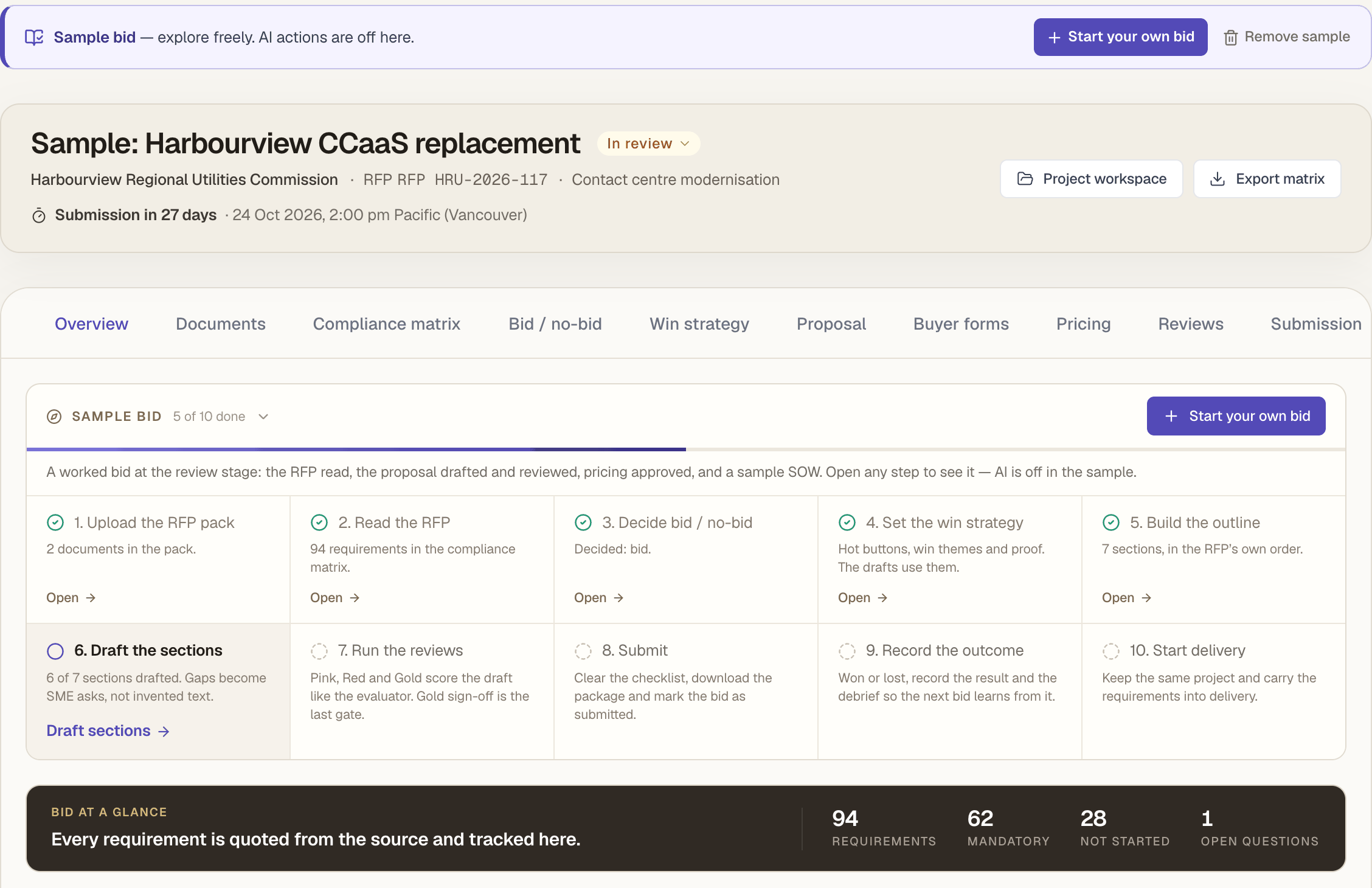
How it works
Each step has its place in the bid, and the Overview’s Next steps panel shows what comes next. Reqify does the reading, cross-checking and first drafting; your team makes the calls and signs off.
Every requirement, instruction and evaluation criterion into the matrix, with key dates and submission rules.
Score weighted criteria, check the knockouts, and record who decided and why.
Hot buttons, win themes with proof from your library, discriminators and a value proposition.
An outline in the RFP’s own order, then sections written from cited sources.
Mock evaluations score the draft like an evaluator; people sign each gate off.
The buyer’s Excel forms filled in place; a pricing workbook approved and locked.
A checklist from the RFP’s rules, then one zip named the way the buyer asks.
Questions to the buyer drafted from ambiguous clauses; their questions answered from what you submitted.
A Statement of Work whose clauses list the R-### requirements they come from.
Start delivery in the same project; the requirements carry into the BRD and traceability.
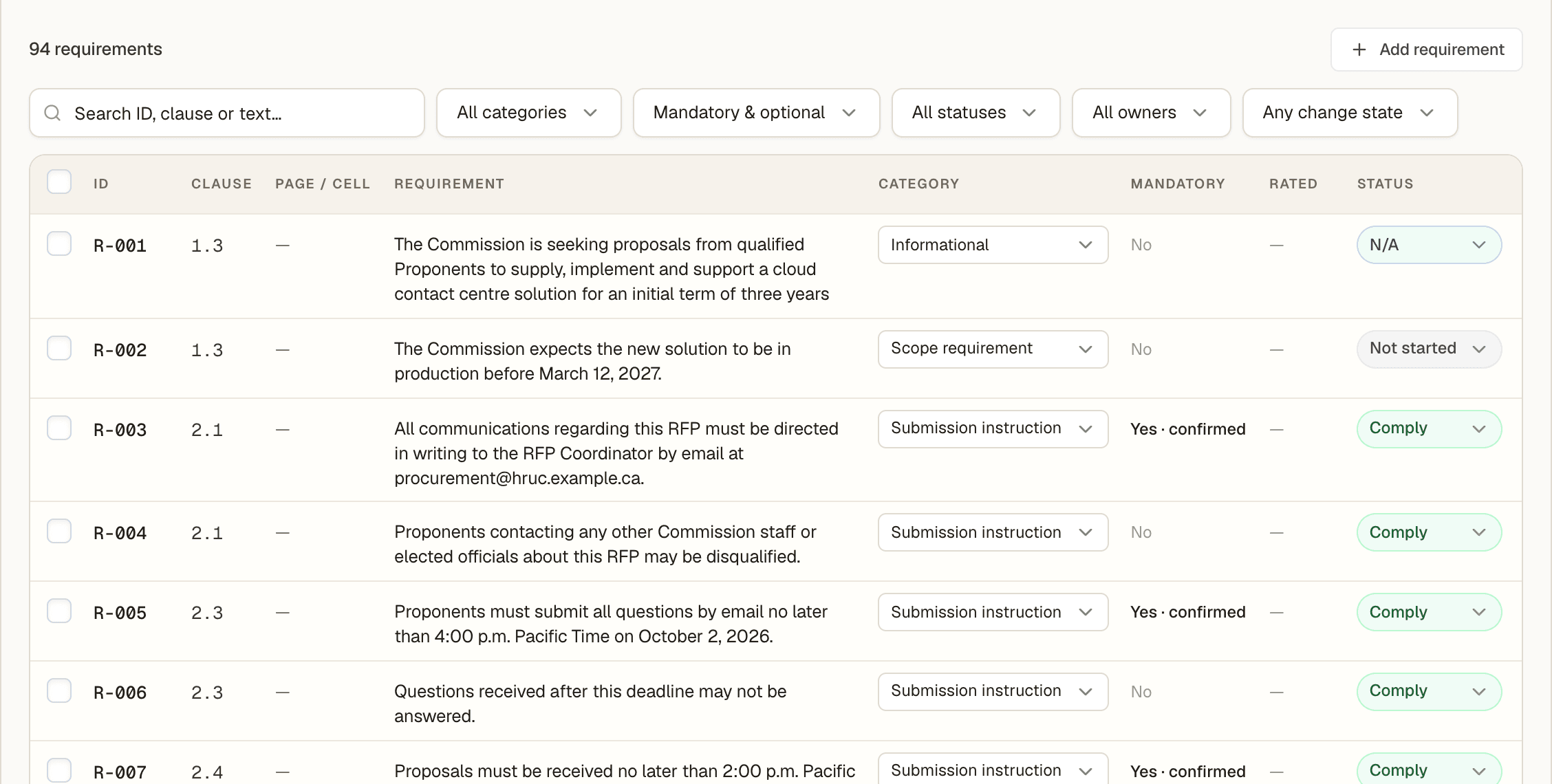
The compliance matrix
Click Read the RFP and Reqify reads the pack section by section. Each row is copied word for word from the buyer’s document and checked against it before it enters the matrix — anything it can’t find is thrown away. Sentences with shall, must or required are always listed.
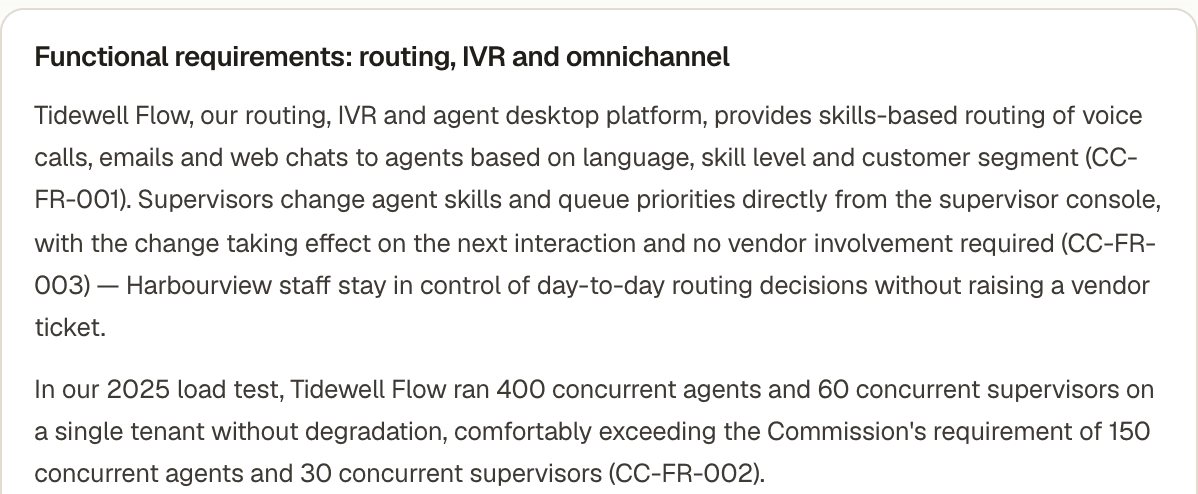
Drafting the proposal
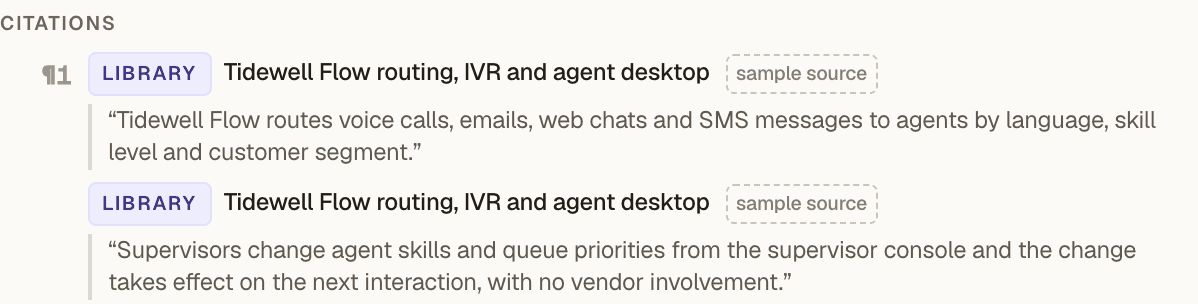
Sections are written from three labelled pools: the buyer’s RFP (only ever to say what is required), your approved content library, and the bid project’s own documents. Every paragraph lists the passages it relied on, and each quote is checked word for word.

Submission
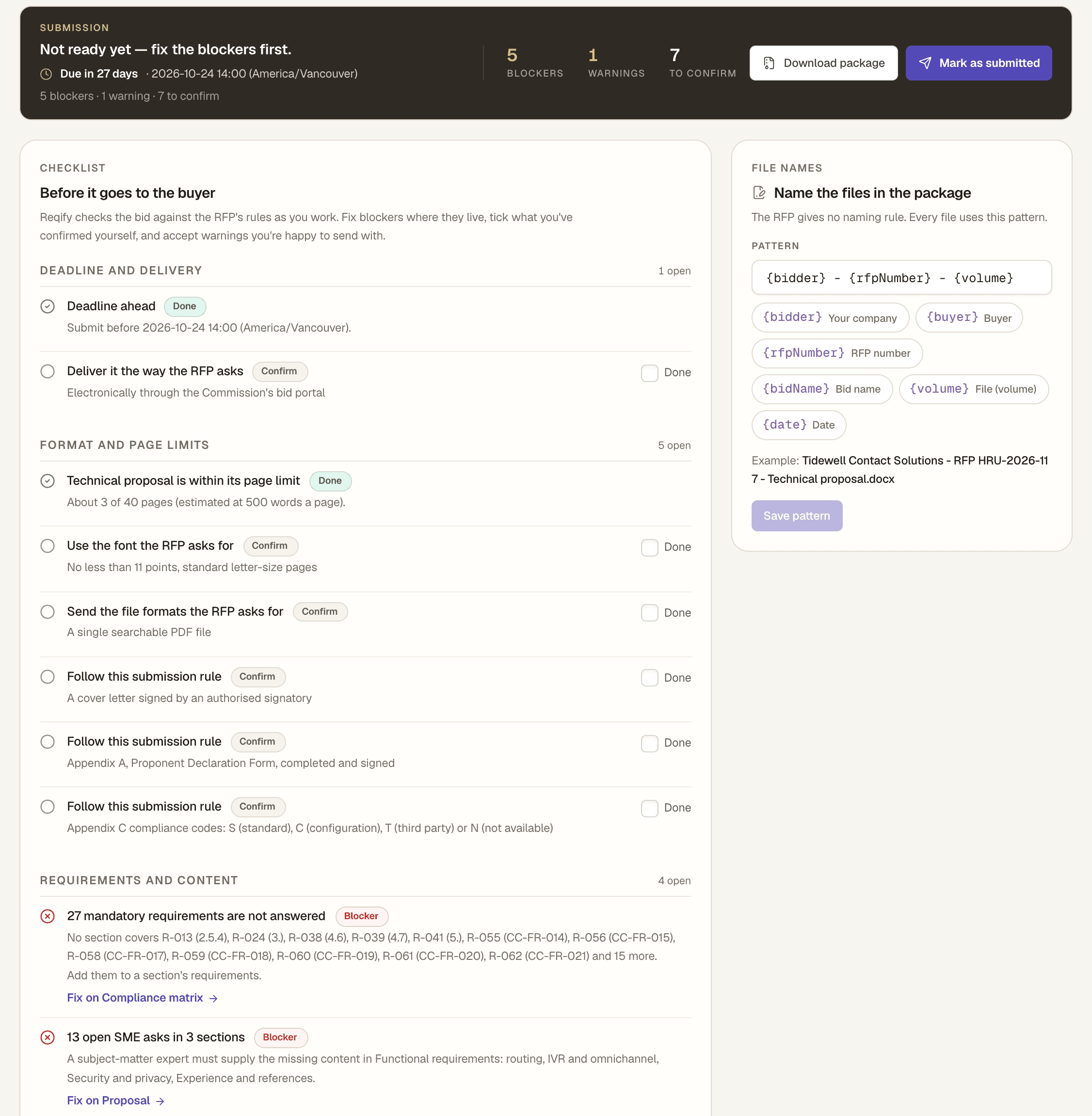
The Submission tab builds a checklist from the RFP’s instructions and the bid’s current state. Blockers can’t be ticked away — they clear when the problem is fixed. Things only a person can check are quoted from the RFP for someone to confirm.
Forms, pricing and your content
The buyer’s spreadsheets, the price and the library of answers your team keeps rewriting — handled in the same bid.
Questionnaires and pricing forms are filled in a copy of the buyer’s workbook. Formula cells, dropdowns and formatting stay exactly as the buyer made them, and only approved rows are written.
Build the pricing workbook from your rate cards, approve and lock it. From then on it is the only source of prices for the proposal, the buyer’s pricing forms and the package.
Approved answers, case studies, people and credentials, each with an owner and a review date. Client-confidential records are only used in that client’s bids; expired certificates are left out.
From the win into delivery
A bid lives inside a Reqify project. Win it, click Start delivery, and the same project carries on with the RFP pack, your proposal and the clarifications still in its knowledge — so the team that starts the work reads what the buyer actually asked for.
Scope clauses built from the requirements marked Comply or Partial, each listing its number (R-012). Contract terms are quoted only from your own approved library records — Reqify never writes them.
Documents you generate afterwards cite their source — “RFP ref: R-012” under a BRD requirement, an RFP refs column on the user stories.
The project’s Traceability card and matrix show each requirement traced to delivery requirements, stories and test cases, and warn when a mandatory one has no test yet.
When delivery includes choosing a product or supplier, Tenders turns the project’s BRD requirements into an RFP and supports the scoring and award.
What Reqify won’t do
Bids is built so that what you submit is something your firm can stand behind. That means some things are deliberately left to people, and some aren’t built yet.
Anything no source supports becomes an “SME needed” ask, and Gold sign-off and the final export wait until it is resolved.
Bid / no-bid is your team’s call, recorded with its reasons. Mock reviews are a rehearsal, not a prediction — the real evaluators decide.
The Statement of Work quotes change control, acceptance and payment terms only from approved records in your library. Without them, each is an SME ask.
The submission package is Word only. If the RFP asks for PDF, open each volume in Word, save it as PDF and check the page count there.
Only Excel .xlsx and .xlsm forms are filled in place. Word, PDF and CSV forms are answered in the proposal and completed by hand; .xlsm macros aren’t kept.
You send the response through the buyer’s portal or by email, then mark the bid as submitted so Reqify keeps what went out.
Plans and costs
Bids uses your plan’s document allowance — no separate subscription. Every plan can open the sample bid for free.
| Professional | Team | Enterprise | |
|---|---|---|---|
| Active bids at a time | 1 | 5 | Unlimited |
| Content library | 50 records | Unlimited (team library) | Unlimited |
| First read of the RFP | 10 documents | 10 documents | 10 documents |
| Re-draft a section · draft the SOW | 1 document each | 1 document each | 1 document each |
What the first read covers. Every re-read, the outline, one first draft per section of the first outline plus 3 spare, and first answers to up to 1,000 rows of the buyer’s forms.
What’s free. Win strategy suggestions, Pink, Red and Gold mock reviews, clarification answers, pricing, exports and the submission package.
Not on Starter or the free trial. Submitted, won, lost and closed bids don’t count towards the active limit. Failed runs are refunded automatically.
The practical details
See it before you spend a document
The sample shows every tab filled in on a fictional RFP. When you have a real one on the desk, run it as a 30-day pilot.